A website is often the first handshake a brand offers. It carries the weight of the logo, the tone of voice, the product promise, and the experience you want people to remember. When it feels disjointed, visitors notice. They may not pinpoint the mismatch, but conversion rates, time on page, and trust metrics bear the consequences. Aligning your website with your brand is not a single design pass. It is a system of decisions across content, visuals, structure, and performance that either reinforce who you are or introduce friction.
This piece draws on practical lessons from building sites for ambitious startups, B2B platforms, and consumer brands that needed more than a fresh coat of paint. The goal is to give you a process you can use inside your team or with your web design services partner, with enough detail to avoid common traps.
Start with brand truth, not color palettes
Before you open a design tool, fix the core. Brands have a center of gravity, and your site should orbit it. That center usually sits at the intersection of audience needs, product value, and market position. If your brand strategy is thin, website decisions will wobble.
I like to extract five anchors to guide UI/UX design and content:

- Purpose in one line. For example: “We help clinics schedule faster without adding staff.” Primary audience. Not a generic persona, but a concrete profile: “Operations managers at clinics with 5 to 20 providers.” Value proof. The evidence you can show within 10 seconds: metrics, logos, demos, or outcomes. Voice traits. Pick three adjectives that your copy should embody, like “calm, competent, candid.” Red lines. What you do not do and will not suggest on the site, so scope creep does not weaken clarity.
A good brand document also captures visual identity, but translating it to the web requires judgment. A print-first identity may use fine-line typography and delicate color contrast that fails web accessibility standards. Where that happens, prioritize accessibility and legibility over rigid adherence. The best brands adapt across mediums, they do not calcify.
Map identity to the experience layer
Once the brand anchors are clear, map them to the parts of the site that visitors actually experience. This is where branding and identity design meets UI/UX design, copywriting, and interaction patterns.
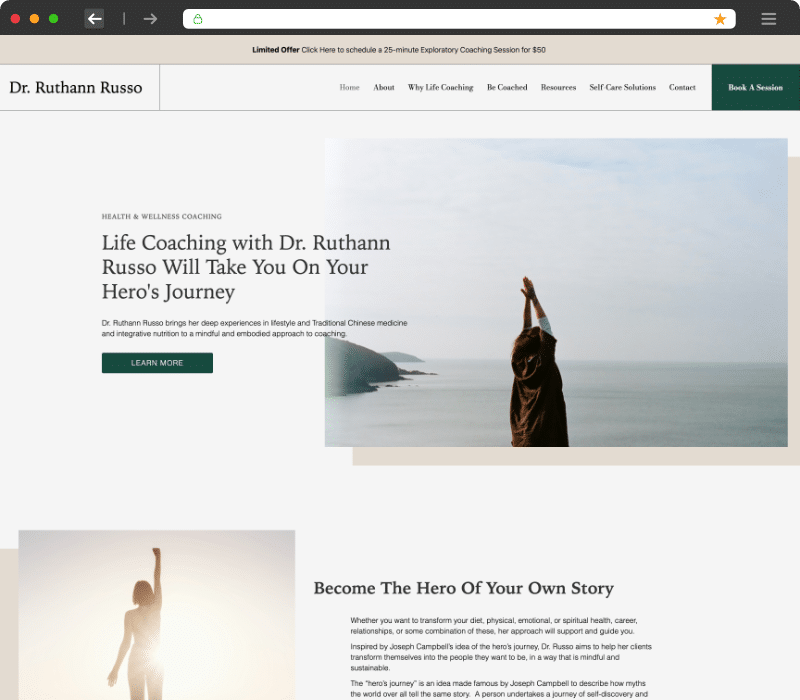
Navigation expresses strategy. If you position around outcomes, your top nav should use outcome language. If you sell a platform with modular add-ons, separate core from extras. Sites often degrade here by mirroring internal org charts rather than user intent. I run five-second tests to see which nav labels people click when given a job to do. Small changes, like renaming “Solutions” to the specific use cases you support, often lift engagement by double digits.
Tone shows up in microcopy. Button labels, error messages, form helpers, and empty states are where brand voice either lives or dies. A serious fintech product that ships with playful placeholder text creates cognitive dissonance. If your voice traits are “calm, competent, candid,” your form error might say, “We could not verify that card. Try another or contact support. We reply within 2 hours.” Direct, helpful, confident.
Interactions signal confidence. Excess motion or gimmicky transitions can feel like insecurity dressed as flair. Use animation to support comprehension, not decoration. For example, progressive disclosure in a pricing page can reduce overwhelm if the interaction is quick, consistent, and reversible.
Visual identity that performs
Graphic design on the web is less about decorative flourish and more about clarity and hierarchy. A coherent user interface design translates visual identity into components and patterns that invite the right actions.
Color needs a job. Brand colors often include a hero hue that looks great in a logo but fails as a primary action color because of contrast or cultural cues. Test your palette against WCAG contrast thresholds, both in light and dark contexts. Keep at least one accessible accent color for buttons and links. A mobile-friendly website should treat color semantics consistently so that states and actions are predictable across breakpoints.
Typography carries voice. Choose a type system that performs across devices with varied pixel density. If your brand font is a display face, pair it with a web-safe workhorse for body copy. Avoid weights that blur at small sizes. Set a ramp that locks in rhythm: a base size for body (16 to 18 px is common), a 1.25 to 1.333 scale for headings, and line lengths around 60 to 80 characters. That is not dogma, it is a starting point that tends to read well.
Imagery should align with the maturity of your product and audience. Early-stage products benefit from interface-focused visuals that show reality: screenshots, annotated flows, short clips. Lifestyle photography works when the brand sells a feeling, but even then, mixing aspirational with instructional helps people translate desire into action. For e-commerce web design, product photography that shows scale, texture, and use context converts better than studio-only shots. Add alt text that describes utility, not just what is in the frame.
Layout encodes priorities. Visual hierarchy in web design is more than font sizes. It is spacing, grouping, contrast, and motion working together so the eye travels the path you intend. Place critical value proof early, then provide scannable depth. On landing page design, I often target a structure where each screenful has one job: establish relevance, prove value, show how, then invite action. Overloading a single viewport confuses the message.
Content as identity in motion
Brand lives in language. A site aligned with its identity uses words to set expectations and deliver on them. This is where SEO-friendly websites can shine without turning human voice into keyword soup. Search intent should inform the structure and language of your content, but your brand voice should remain intact.
Resist lorem ipsum past the first wireframe. Write real headlines and ledes early. This helps you detect whether the design flexes to accommodate complex messages. It also exposes gaps in your product story. If you cannot write a clear explanation of the “how” behind your value proof, the design will not rescue you.
Use proof that matches your buyers’ risk. Enterprise buyers need references, quantified outcomes, certifications, and integration detail. Consumer buyers need social proof, transparent pricing, and frictionless checkout. Do not bury the proof beneath a carousel. Put it near critical calls to action and repeat it contextually where questions arise.
If you publish, publish with consistency. Content management systems make it easy to ship, but brand-aligned publishing hinges on topic quality and cadence. A WordPress web design with a sensible editorial workflow beats a complex headless setup with no content engine behind it. Choose the web development frameworks and CMS that your team can maintain, not the one that wins a developer forum thread.
Structure, flows, and decision points
User experience research, even lightweight, will tell you where people hesitate or get lost. The most common friction points I see are orientation (what is this and is it for me), capability comprehension (how it works, what it integrates with), and commitment friction (forms, pricing, trial terms).
Site navigation best practices are boring, and that is a virtue. Keep top-level items short. Avoid nested menus that disappear on hover when a cursor slips by a pixel. On mobile, prioritize the two or three journeys most visitors start with, and make search obvious if your content depth demands it. Test the back button behavior rigorously on devices. Too many sites trap users in modals or custom sliders that hijack expected controls.
Forms either feel like doors or walls. Trim fields to what you actually use. If marketing asks for eight fields because “we might need them later,” measure the cost in drop-off. If conversion rate optimization is a priority, A/B test one change at a time: fewer fields, inline validation, progress indicators, or alternate offers like email capture before full sign-up. Winner variants usually pair clarity and reciprocity. Tell people why you need data and what they get in return.
For e-commerce, treat cart and checkout as a separate product. Show progress, support guest checkout, and do not hide fees. If you upsell, align the offer with the original intent. Adding a compatible accessory after add-to-cart often lifts average order value more than suggesting a bundle on the product page.
Responsive design is table stakes, but execution tells
Responsive web design is more than stacking columns. It requires rethinking content density, tap targets, and performance at different breakpoints. The majority of sites see at least half of traffic on phones. If your mobile performance lags, you are choosing to disappoint the larger audience.
On mobile-friendly websites, thumb reach shapes layout. Place primary actions where thumbs can reach without stretching, usually lower half on tall screens. Minimize fixed headers that eat vertical space, especially if you use cookie banners or support widgets. Compress or delay secondary content so the first screen loads fast and contributes to the message.
Performance is part of brand. A beautiful brand that loads in 7 seconds does not feel premium, it feels indifferent. Website optimization should include image compression, font loading strategies, code splitting, and caching. When we shaved 1.2 seconds from a hero video load on a retail homepage, bounce rate dropped 14 percent and revenue per session rose 6 percent over four weeks. Small wins compound.
Systems, not pages
A website aligned with brand relies on a system of components. Build a living design system with tokens for color, spacing, typography, and interaction states, then assemble pages from those parts. This reduces inconsistency and accelerates website redesigns when you grow or reposition.
Wireframing and prototyping give you a cheap way to test the system before writing production code. I prefer low-fidelity wireframes for structure decisions, then interactive prototypes to debate motion and cadence. Annotate decisions so future contributors understand why a pattern exists. When handoff time comes, HTML/CSS coding benefits from that clarity, and frontend development avoids reinventing the wheel.
Your tech stack should serve the brand narrative, not the other way around. If you need speed, reliability, and editorial convenience, a CMS with a robust plugin ecosystem like WordPress plus a disciplined approach to plugins can be a pragmatic choice. If you need granular control and app-like interactions, modern web development frameworks paired with headless content management systems can perform well, given your team can maintain them. The wrong choice is the one your team cannot support six months after launch.
Accessibility is identity
If your brand calls itself inclusive or customer-centric, the site must reflect that. Meeting web accessibility standards is non-negotiable. It is also good business. Accessible sites load cleaner, index better, and convert wider audiences.

Aim for semantic HTML, proper landmarks, meaningful link text, and focus states that are visible. Do not rely on color alone to convey state. Ensure video has captions and transcripts. Test with a keyboard and a screen reader, not just automated tools. Accessibility debt grows quietly until legal or reputational risk surfaces. Build it into your QA and website performance testing, not as a last-minute patch.
Data informs, brand decides
Analytics should illuminate how people move, where they stall, and what persuades. But not every spike demands a pivot. A viral post can distort behavior for a week. A new feature can suppress a metric while users adjust. Read data with patience and context. I look for sustained patterns over at least two full business cycles when possible.
Heatmaps and session replays help diagnose micro-friction. Pair them with structured experiments. For instance, if scroll depth shows people rarely reach feature detail, move a condensed version higher, then track changes in demo requests. Conversion rate optimization is a discipline, not a roulette wheel. Form hypotheses, test methodically, and keep changes reversible.
SEO without losing your voice
Being findable matters. Being forgettable does not. You can have SEO-friendly websites without turning every headline into a keyword dump. Map topics to search intent, then write for humans. A product-led SaaS site might capture “how to automate invoice approvals” with a guide that includes a clear tutorial, code snippets if relevant, and an invitation to try a workflow. The brand voice stays intact if you maintain tone and avoid templated structures that read like a content farm.
Technical SEO meets performance and structure. Clean URLs, logical internal linking, compressed assets, schema where it helps, and Core Web Vitals that clear green. Treat SEO as part of website development, not a bolt-on after design lock. It is easier to structure content and markup correctly from the start than to retrofit it later.
When to redesign, when to realign
A full website redesign is expensive, risky, and often unnecessary. Many alignment issues can be solved by surgical changes: rewriting the hero, adjusting navigation, refining product pages, or improving mobile performance. Redesign when your brand position has shifted materially, your tech stack hinders speed or security, or your content model cannot support growth.
If you do commit to a redesign, start with a migration plan. Inventory content, map redirects, protect rankings for your highest-value pages, and stage everything behind passwords until it is ready. Run a soft launch to a subset of users if possible, then fix issues before the full switch. Make sure site search works from day one. Too many launches neglect it and leave users stranded.
Practical workflow for aligning brand and website
Here is a compact workflow that has worked across scales, from seed-stage startups to mid-market organizations:
- Audit and align. Gather brand assets, metrics, and top pages. Identify inconsistencies and prioritize fixes that affect clarity and trust. Define system and content. Build design tokens, component library, and a content model. Write real copy for critical flows early. Prototype and test. Wireframe key pages, then interactive prototypes. Run five to ten user tests with real tasks. Adjust navigation labels and flows based on findings. Build for performance and access. Code with semantic HTML/CSS, optimize media, set up CMS workflows, and bake in accessibility checks. Measure and iterate. Launch with analytics, heatmaps, and error tracking in place. Schedule a 30, 60, and 90-day review to refine.
This sequence compresses risk and makes space for the right debates at the Digital Marketing Massachusetts right time. It also forces decisions about what matters, which is the essence of identity.
Selecting partners and tools with brand in mind
If you hire external web design services, evaluate them on how they translate identity into experience, not just portfolios of pretty pages. Ask to see a content model, a component library, or how they handle responsive states and edge cases. Request a walkthrough of a site they built on a slow 3G connection. If they flinch, keep looking.
Choose web design tools and software that match your team’s skills. Figma or similar tools aid collaboration, but the real advantage comes from clean libraries and documented patterns. For website development, pick frameworks and hosting that your developers can run, monitor, and secure. A lightweight stack that your team masters beats a complex setup that only one contractor understands.
Case note: the calm brand in a noisy category
A mental health startup came to us with a brand defined as “quiet confidence.” Their site used bright gradients and playful illustrations they had inherited. Bounce rate was high on mobile and paid search underperformed. Instead of a full rebuild, we realigned.
We shifted the palette to muted neutrals with a single accessible accent for actions. Typographic voice moved from rounded display to a humanist sans with better legibility. Microcopy changed from quirky to steady. We replaced generic illustrations with subtle product walkthroughs and testimonials that focused on outcomes: wait times, therapist matching accuracy, and user satisfaction percentages.
On mobile, we reduced header height and deferred secondary visuals so content appeared immediately. We tuned performance by lazy-loading non-critical scripts and compressing images. The result: a 19 percent lift in conversion from paid traffic over 8 weeks, a 0.8 second improvement in first contentful paint, and customer interviews that echoed the desired feeling: “It felt calm and trustworthy.”
Identity alignment did not require a reinvention. It required listening to the brand and letting the site carry that voice without noise.
Trade-offs you will face
No project gets everything. These are the trade-offs I see most often:
Speed vs. spectacle. Heavy motion and high-res media look impressive on designer machines. They punish average users. If you must choose, privilege speed and clarity. If you keep motion, use it sparingly and progressively enhance for capable devices.
Consistency vs. novelty. Design systems risk sameness. Novel patterns risk confusion. Use novelty for brand-defining moments and keep the rest of the interface consistent. Visitors appreciate predictability in forms, menus, and cards.
CMS convenience vs. control. A flexible CMS speeds publishing, but it can invite inconsistency. Establish guardrails: locked components, default styles, and editorial guidelines. Give freedom where it matters, constrain where consistency protects the brand.
SEO reach vs. brand tone. You can write keyword-rich content that erodes voice. Or you can preserve voice and ignore search. The middle path is to meet intent with substance and let tone carry through. Edit for rhythm and clarity after you place the right terms.
Testing the edges
Do not only test happy paths. Try extreme content lengths, untranslated strings, very short and very long names, image failures, slow networks, and no-JavaScript modes where applicable. If a button label wraps in German and breaks the layout, fix the component, not the page. If a product page depends on an integration status, design the empty state with care.
Website performance testing should include device diversity. A phone three years old on a mid-tier network is more representative than your new laptop on fiber. Track error rates and long tasks, not just average times. Spikes reveal where third-party scripts or heavy components misbehave.
Keeping alignment over time
Launch day alignment fades if no one owns it. Build a cadence for maintenance:
- Quarterly health checks. Review navigation, speed, accessibility, and top flows. Compare against goals and adjust. Component stewardship. Assign ownership for the design system. New components should pass a checklist for accessibility, responsiveness, and brand fit. Content governance. Establish voice guidelines and an editorial review before publishing. Expire or refresh outdated content. Broken promises harm trust. Experiment hygiene. Document tests and outcomes. Retire variants and remove dead code. Clutter accrues invisibly until it slows everyone down.
These simple habits protect the investment and keep brand and site moving together rather than drifting apart.
Where keywords fit without forcing them
If you operate an agency or an internal team, you will touch a wide swath of disciplines: custom website design, frontend development, content strategy, and digital marketing strategies. Use the terms your customers search for, but ground them in real work. Responsive web design is not an abstract benefit; it is the reason a pricing page reads clearly on a phone. UI/UX design is not a label; it is the practice of crafting flows that reduce hesitation and increase confidence. WordPress web design is compelling when it pairs flexibility with guardrails. Web design trends can inspire, but they should not overrule your brand’s voice. Website redesigns are justified when strategic shifts demand it, not when aesthetic boredom sets in. The best sites respect web accessibility standards, prioritize conversion rate optimization through honest clarity, and use wireframing and prototyping to test assumptions before they get expensive. The tools exist to help, not to define the brand.
Final thought: coherence creates compounding value
When a website aligns with brand, everything feels easier. Sales conversations start warmer because the site prequalifies and educates. Support tickets drop because copy and flows anticipate confusion. Marketing campaigns convert because landing pages mirror the promise in the ad. Engineering gets fewer urgent “quick fixes” because the system is sound.
Branding and identity design do not live in a style guide. They live in the decisions your website makes on every page, at every breakpoint, and in every microcopy string. Align those decisions with who you are, and the site becomes more than a brochure. It becomes a living expression of the business you are building.
Radiant Elephant 35 State Street Northampton, MA 01060 +14132995300